Make Work Visible. Stop Overscheduling Your Team.
See what's in progress, how long work really takes, and who is already busy, so you can plan realistic workloads and say yes to new work with confidence.
Why Teams Get Overscheduled
In most teams, work lives in people's heads, in text threads, and in email. A manager gets asked to take on one more job and says yes, because there is no single place that shows what is already underway. The team finds out it is overbooked when deadlines start slipping.
Finitu puts that work in one place. Making work visible is not about watching people. It is about giving the whole team the same picture of what is in progress, so commitments match the time you actually have.
What You Can See
Everything in Progress
Every task on a Kanban board, in the stage it is really in.
Who Is Working on What
Every task has an owner, so you can see who is already carrying open work.
How Long Work Takes
Time tracked on tasks shows how long each kind of job really runs.
Where Work Is Happening
Optional QR check-ins and GPS show when work is underway on site.
See Everything in Progress
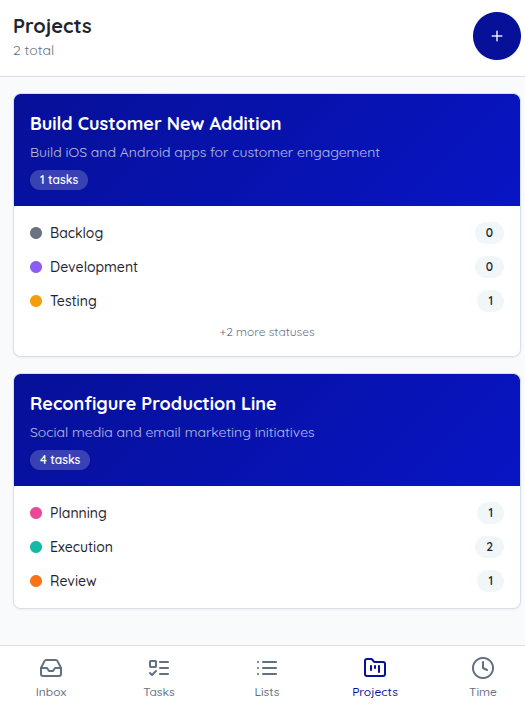
Each project gets a Kanban board with stages you define, like Planned, In Progress, Waiting, and Done. Tasks move across the board as work moves, and each card shows its priority, so urgent work stands out.
Open any task to see who owns it, when it is due, and its notes and photos. Instead of asking for a status update, you look at the board.
Because everyone works from the same board, the picture stays current without anyone maintaining a separate spreadsheet. A task that has sat in one stage for too long is easy to spot, and so is a stage that is piling up with more work than the team can finish.
Know How Long Work Really Takes
Start a timer on a task and the time is logged to that task. Over a few weeks you build a record of how long each kind of work actually takes: a unit turnover, a machine inspection, a client deliverable.
Time tracking reports break hours down by person and project, by day, week, or month, for any date range. Use them to estimate the next job from real numbers instead of optimism.
Time tracking is optional. Most teams start by timing the jobs they quote or schedule most often, then add more once they see how useful the numbers are.
See Where Work Is Happening
For work that happens away from a desk, teams can add optional QR code check-ins and GPS location. Scanning the code for a task checks the person in and marks the task in progress, so the board shows that work has started on site without a phone call. Teams that do not need location can skip it entirely.
Check Capacity Before You Commit
Before you accept new work, look at two things side by side. The board shows how many open tasks each person owns and which ones are still in progress. Time tracking reports show how many hours each person has logged this week or month.
Together they answer the question that matters: does anyone actually have room? If everyone is carrying a full board and a full week of hours, the new job waits, or something else moves, before you say yes.
How Teams Use It
Property Management
Check open work orders and who owns them before promising a turnover date.
Agriculture
See which crew jobs are still in progress before adding harvest-week tasks.
Manufacturing
Look at open maintenance and repair tasks before scheduling a line changeover.
Hospitality
See which rooms and guest requests are still open before reassigning housekeepers.
Healthcare
Review open rounds and equipment checks before adding new facilities requests.
Office & Technology Teams
Check open tasks and logged hours per person before taking on the next project.
Frequently Asked Questions
What does "making work visible" mean?
It means putting every piece of work where the whole team can see it: what is in progress, who owns it, how long it is taking, and where it is happening. When work only lives in people’s heads, texts, and email, nobody can see how much is already underway.
How do I know if my team is overloaded?
Look at two things together. The board shows how many open tasks each person owns, and time tracking reports show how many hours each person has logged for any date range. Someone with a long list of in-progress work and a full week of logged hours does not have room for the next job.
How do I estimate how long a task will take?
Track time on the kinds of work you do repeatedly. After a few jobs, time reports by project and person show how long that work actually takes, which is a much better starting point than a guess.
Ready to Get Started?
Start your 60-day free trial today. No credit card required.