Scan the Code. See the Task. Log the Location.
Scan a QR code where the work happens and the task for that place opens on your phone. Check in, and the time and optional GPS location are saved with the task.
How It Works
- 1
Place a QR code
Every task and every location in Finitu can have its own QR code. Print it and post it where the work happens: a unit door, a hotel room, a machine, a barn, a supply closet.
- 2
Scan to open the task
Scan the code with a phone camera and that exact task opens in Finitu, with its description, notes, checklist, and photos. No searching through a list on a job site.
- 3
Check in with location recorded
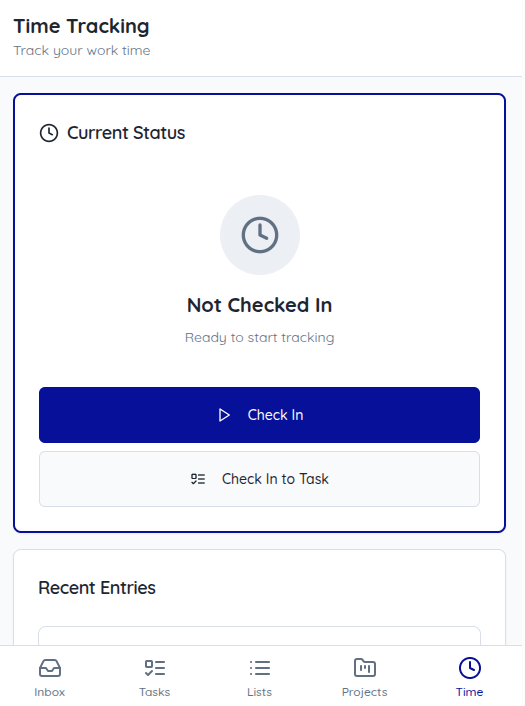
Scan with the Finitu scanner to check in. The task is marked in progress, a time entry starts, and the GPS location is recorded when the phone allows it.
Why It Matters
Trust the Board Without Calling
When a task shows in progress with a check-in time, you know work started. No more texting to ask whether someone made it to the site.
A Record of Where Work Happened
Each check-in keeps its time and, when available, its GPS location, so you have a record that the work happened at the right place.
History for Owners, Clients, and Inspections
Look back at when a unit, room, or machine was serviced and by whom when an owner, client, or inspector asks.
What Gets Recorded
A QR check-in captures the basics you need to answer "was it done, when, and where?"
- The task the check-in belongs to, or the location whose code was scanned
- Check-in and check-out times
- GPS coordinates and the accuracy the phone reported, when location is available
- Task notes and completion photos added by the person doing the work
Where Teams Use It
Property Management
A code on each unit or common area opens its work orders in the field.
Hospitality
Room codes keep housekeeping and maintenance moving across the properties.
Healthcare
Codes on rooms and equipment support facility rounds across the facilities.
Manufacturing
A code on each machine opens its maintenance and inspection tasks on the floor.
Agriculture
Codes on equipment, barns, and gates track crew work out in the field.
How It Connects to the Board
A scan is not a separate log you have to reconcile later. Checking in to a task with the Finitu scanner marks that task in progress and starts a time entry on it, so the task's status and tracked time update for your whole team.
The task keeps its place on your Kanban board, and the time from the check-in counts toward time tracking reports for that person and project.
Privacy and Trust
Location in Finitu is attached to tasks to show where work happened. It is not used to follow people around. Location is captured when someone checks in and checks out, and, if your account turns it on, periodically while that check-in is active. It stops at check-out.
Each person can see their own check-ins, and admins on your account can see everyone's. GPS and QR codes are both optional: teams can use Finitu without ever printing a code, and check-ins still work when location is turned off.
Frequently Asked Questions
Does the worker need to install an app?
No. A Finitu QR code opens the task in the phone's web browser, so any smartphone with a camera works once the person signs in to Finitu.
Can vendors scan without a full account?
Not today. A scan opens the task inside your Finitu account, so the person scanning needs to sign in as a user on that account.
What if GPS is off or inaccurate?
The check-in still saves, without a location, and the reason is stored with the entry. When GPS is available, Finitu also saves the accuracy the phone reports, so you can tell a precise location from a rough one.
Does location tracking run all day or only at check-in?
Only while someone is checked in. Location is recorded at check-in and check-out. If your account has location tracking turned on, it is also recorded periodically while the check-in is active, and it stops at check-out. Admins can turn ongoing tracking off for the account.
Does it work offline?
No. Opening a task from a scan and saving a check-in both need an internet connection.
How do I create and print QR codes?
Open a task or a location in Finitu, view its QR code, and use the Print button. Post the printed code wherever that work happens.
Who can see location data?
The person who checked in can see their own entries, and admins on your account can see entries for everyone on that account. No one outside your account can see it.
Ready to Get Started?
Start your 60-day free trial today. No credit card required.